Auracast planning software

Know it works before you mount it.

Plan Auracast assistive listening on your floor plan with the room full of people, prove it on site, and hand over a complete installation package.

Returning? Open the app any time from the top right.

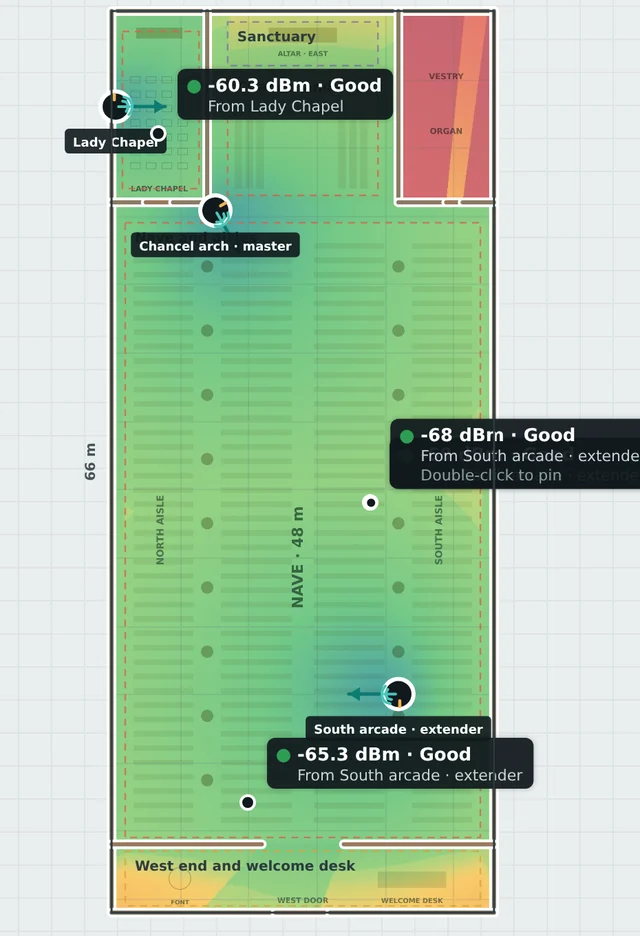
Coverage plan of a large church with three transmitters and signal readings
98.5% coveredwith a full audience of 900

How it works

One plan, from first sketch to customer sign-off.

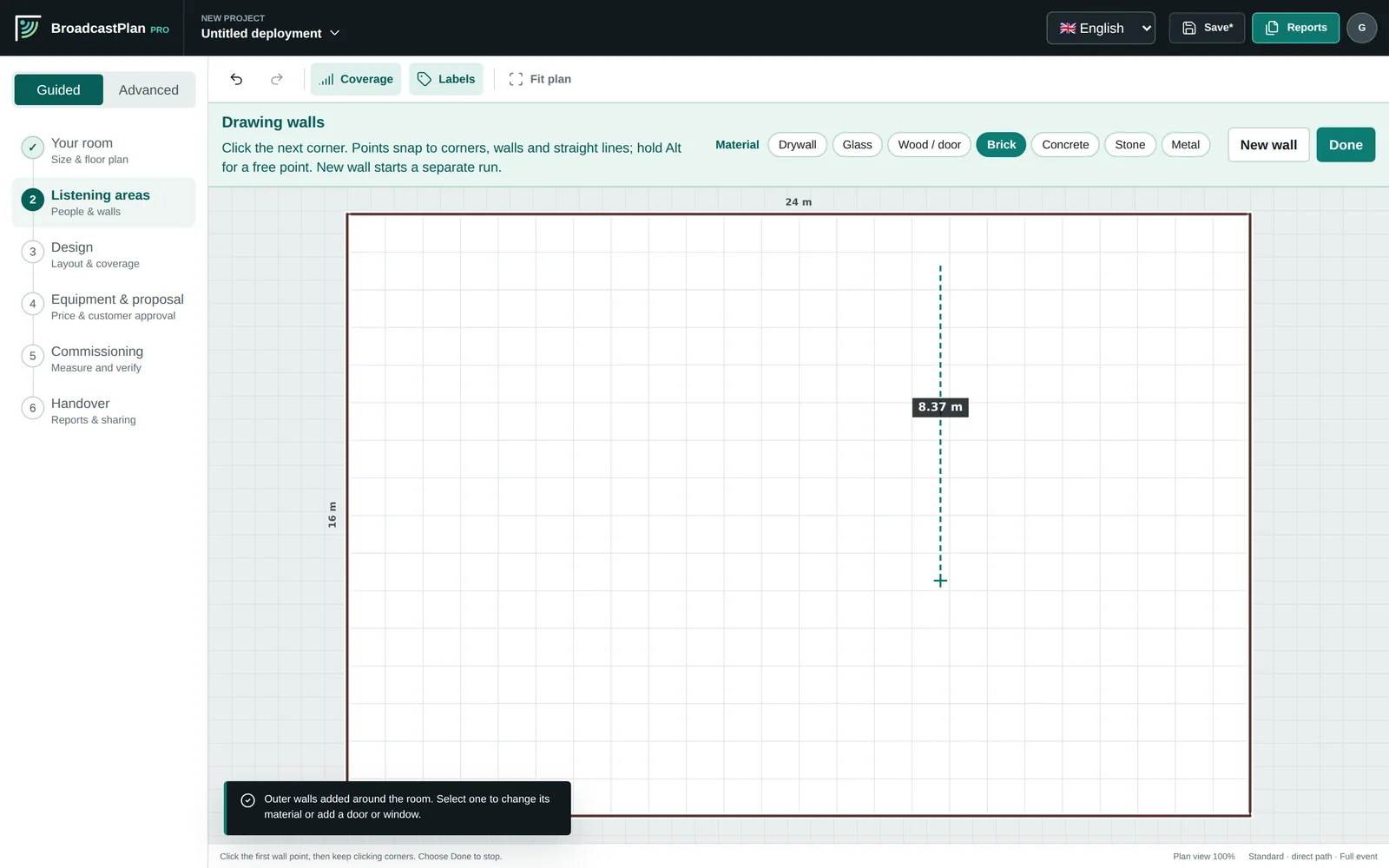
Tracing walls on a floor plan

01 · PLAN

Draw the room, see the coverage.

Enter the room size and the planner places the transmitter for you, or import a floor plan for a whole venue. Coverage is shown with the audience in the room, and the proposal is priced from your own price book.
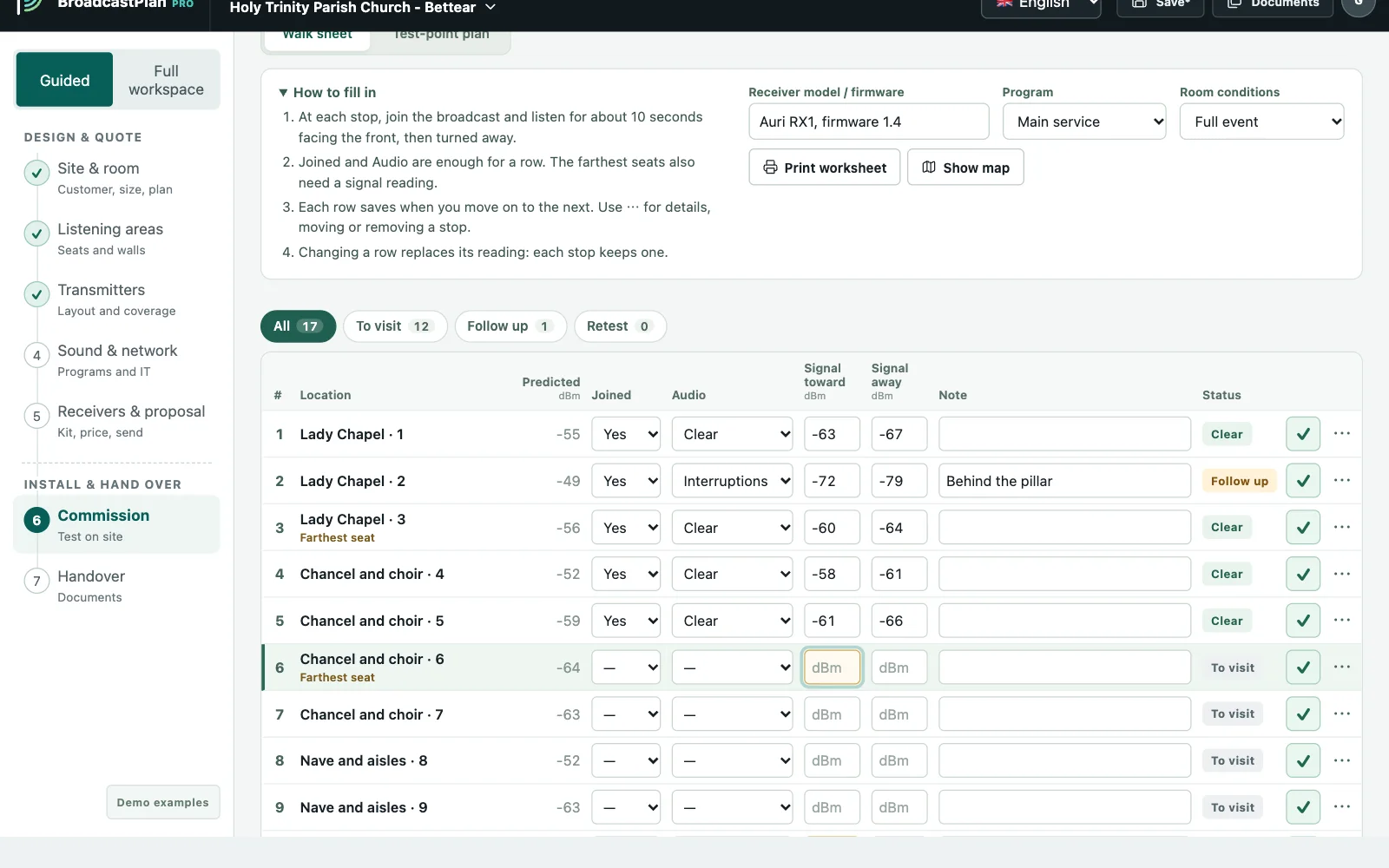
Commissioning route with three sign-off checks

02 · PROVE

Measure on site, sign off with confidence.

Walk a ready-made route, enter what you measure and hear, and compare it with the prediction. Sign off only when all three checks pass.

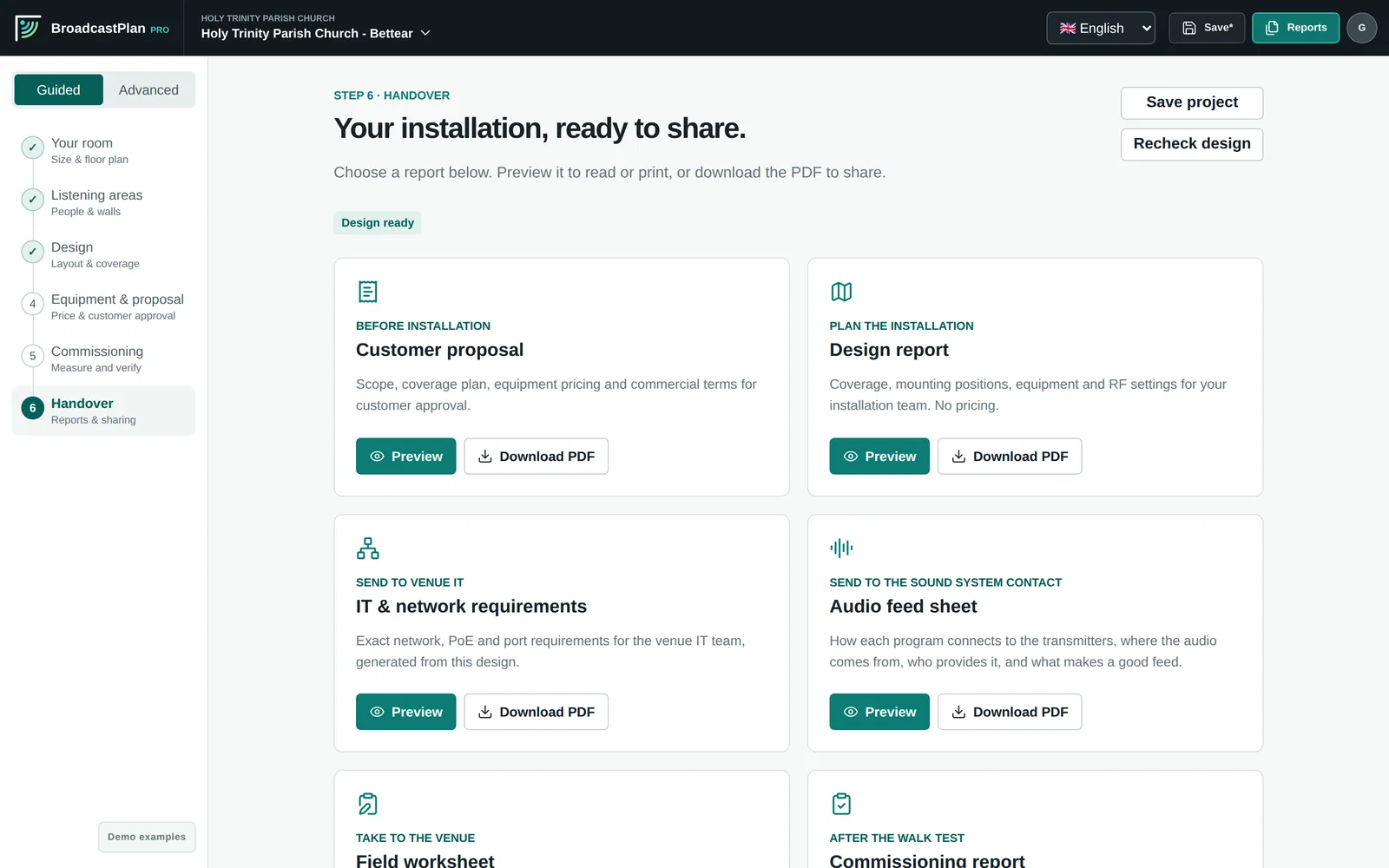
Handover reports: proposal, design, IT requirements, audio feed, worksheet and commissioning

03 · HAND OVER

Everything the job needs, in one package.

Customer proposal with pricing, design report, IT and network sheet, audio feed sheet, field worksheet and commissioning report, all from the same plan.

Why BroadcastPlan

Built for the room on the day, not the empty room on paper.

Plans for a full room

People absorb 2.4 GHz signal. Every plan includes the audience you expect, seated or standing.

Proven planning rules

Cell sizes, mounting heights, overlap and solid-wall zones follow manufacturer field guidance.

Honest numbers

Hover anywhere for the predicted signal. Display settings never change the score or the reports.

The whole job

Equipment and pricing, regional power limits, IT requirements and a documented sign-off.

See it work

A church, a long nave and a chapel behind stone walls.

Under a minute and a half, start to finish: why it takes three transmitters, how the planner finds them, and what the customer and the IT team receive.

More short videos →

Field Kit · in development

Prove it with a receiver that sees what listeners hear.

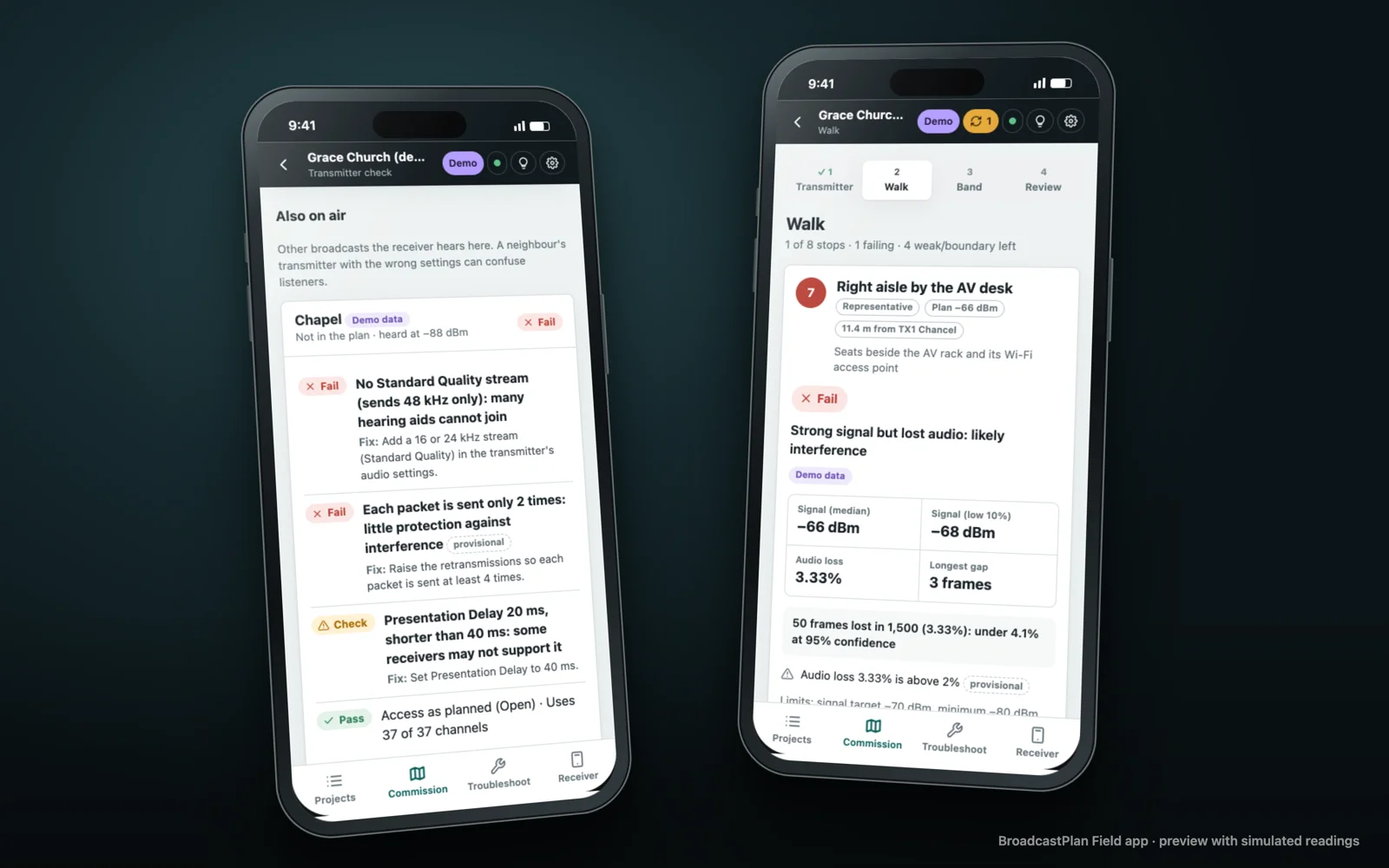
A phone app and a pocket receiver for commissioning and troubleshooting Auracast™ broadcast audio, tied to the BroadcastPlan Pro project.

  • Checks what each transmitter really sends: Standard Quality, name, access, Presentation Delay and retransmissions
  • Measures lost audio frames, not just signal strength
  • Finds the likely cause of dropouts, with fix steps and a note for the venue’s IT team

Shown with simulated readings from the app’s demo receiver. The Field Receiver Lite and Field Analyzer Pro are prototypes and not yet for sale.

Watch the Field Kit previews →

The BroadcastPlan Field app on two phones: a transmitter settings check and a walk stop with lost audio frames, with simulated readings

Who it is for

One tool for everyone between the product and the listener.

Integrators & installers

Win the job, then prove it.

Faster designs, clearer proposals and a sign-off record that protects you and your customer.

How it works →

Distributors

Give your dealers a better tool.

Your catalog and prices in every proposal, dealer workspaces, and plans that turn into orders.

Distributor program →

Manufacturers

Your products, planned right.

Your equipment data and planning rules built in, so every design shows your products at their best.

Manufacturer program →

Equipment

Works with the equipment you sell.

Transmitters, receivers, charging and access products with their order codes, power limits and mounting options.

Bettear CASTER familyCASTER, CASTER Dante, CASTER XT, cascade licenses
Bettear RTX, SmartHive, PASSReceivers, charging stations, broadcast access
Auri TX2NNorth America and rest-of-world profiles
Generic transmittersAny Auracast transmitter by power and antenna
Regional power rulesFCC / ISED and ETSI limits applied automatically

In the example

Holy Trinity Parish Church

A 48 m nave and a Lady Chapel behind thick stone walls, planned for a full service.

3transmitters, found automatically
98.5%of seats with a good signal
2audio programs: service and chapel
900people planned for

Auracast library

New to Auracast? Start here.

Practical, sourced guides for venues and installers, from how listeners join to commissioning and the standards.

Basics · 5 min read

What is Auracast? A plain guide for venues

Auracast lets one transmitter send audio to any number of nearby phones, earbuds, hearing aids and receivers. Here is what that means for a church, theater, school or meeting room, in plain words.

Buying · 4 min read

How to choose an Auracast installer: 10 questions to ask

We know of no Auracast installer certification, so the questions you ask matter. These ten cover planning for a full room, the audio feed, testing, hearing-aid users, receivers and what you should get in writing.

Planning · 4 min read

Quick start for installers: planning a one-room Auracast system

A single room with one transmitter is the simplest Auracast job, and the one where shortcuts show. This checklist covers what to check on the survey, where to mount, how to set up the broadcast, how to prove it works and what to leave behind.

All articles in the library →

Plan it. Prove it. Hand it over.

Plan your next venue.

Start with an example, a floor plan or just the room size. No account needed to try it.